A guide to better HR Policy documentation

As companies grow, HR policies can quickly become scattered across Confluence pages, shared drives, PDFs, and emails. Employees struggle to find the right information, while HR teams have to manage different versions, approvals, and review dates.
Confluence provides a central place for HR policy documentation, while Marketplace apps can add approval workflows, terminology management, and employee training.
Effective policy management goes beyond storing documents. It creates a clear process for keeping policies accurate, approved, accessible, understood, and up to date.
What is policy management in Confluence?
Policy management in Confluence is the process of creating, organizing, reviewing, approving, publishing, and maintaining company policies in one central environment.
An HR policy hub might contain an employee handbook, code of conduct, remote work and leave policies, security and data protection policies, benefits documentation, expense policies, and compliance procedures.
The difference between simply storing policies and managing them is control. HR teams should be able to identify a policy’s current version, owner, approver, and review schedule.
A clear process turns a collection of Confluence pages into a reliable policy management system.
Why HR policies become difficult to manage
As organizations grow, policies can become scattered across different tools, outdated, or difficult to track. Employees may not know which version is current, while ownership, review dates, and approvals become harder to follow.
Without a clear process, policies can remain outdated or be approved without a reliable record. A structured policy management process helps keep them current, accountable, and easier to manage.
How to manage HR policies in Confluence
A scalable system does not need to be complicated. It needs a clear structure, visible ownership, and a repeatable lifecycle.
Create a central HR Policy Center
Start by giving employees one place for official policies.
Organize policies into clear categories such as Employee Policies, Security & Compliance, Benefits, and Training.
The goal is simple: employees should know where to find the latest approved information without searching across multiple spaces, files, or tools.
Use a consistent policy template
A standard structure makes policies easier to create and maintain.
Each policy can include essential information such as the policy owner, status, effective date, last review date, next review date, scope, responsibilities, and related documentation.
Using the same structure across policies also makes missing or outdated information easier to spot.
Assign clear ownership
Every important policy should have someone responsible for maintaining it.
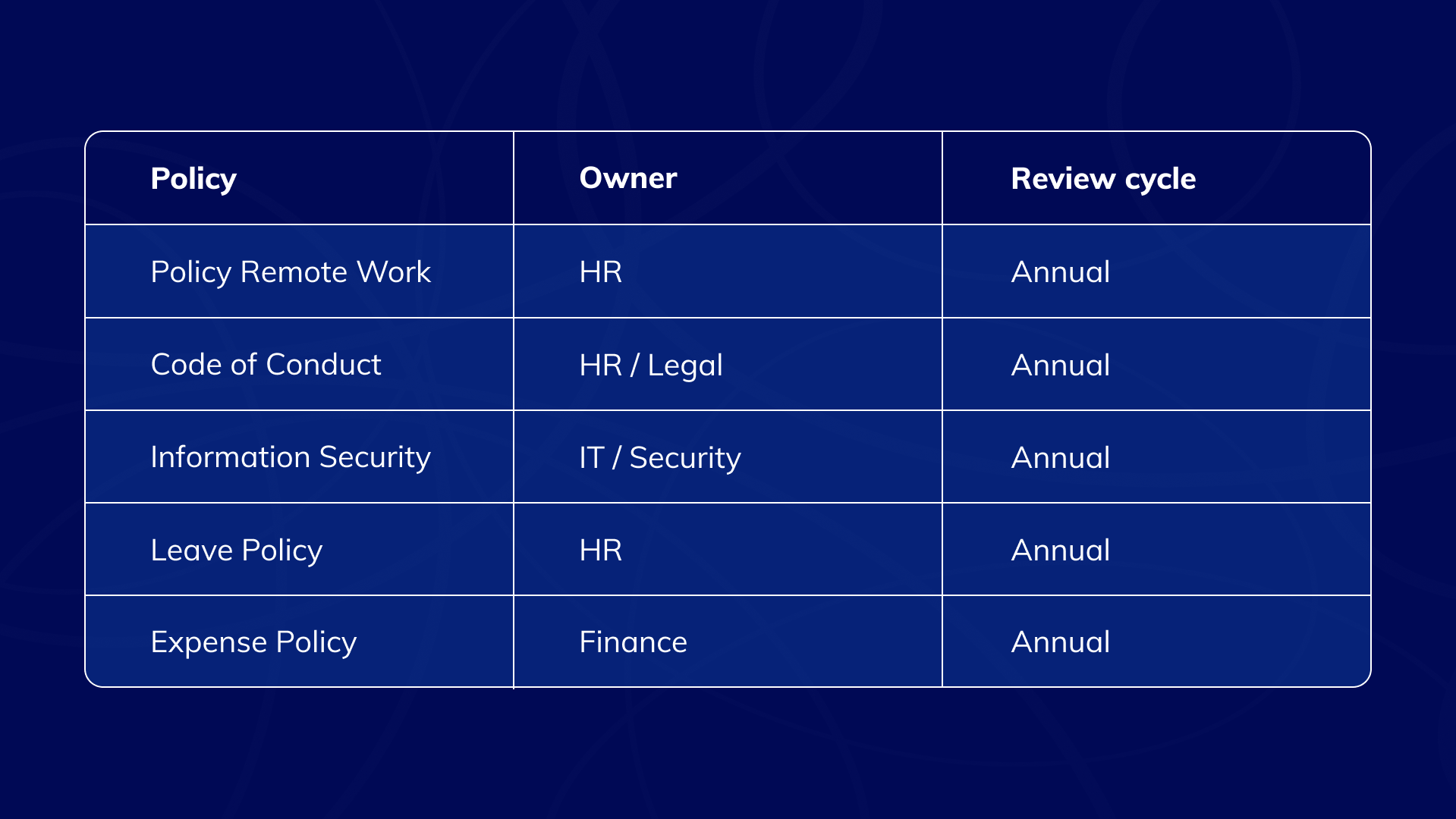
Review frequency will vary by policy, but ownership should always be clear.
Define the policy lifecycle
Policies should not follow a simple:
Create → Publish → Forget
A more reliable process is:
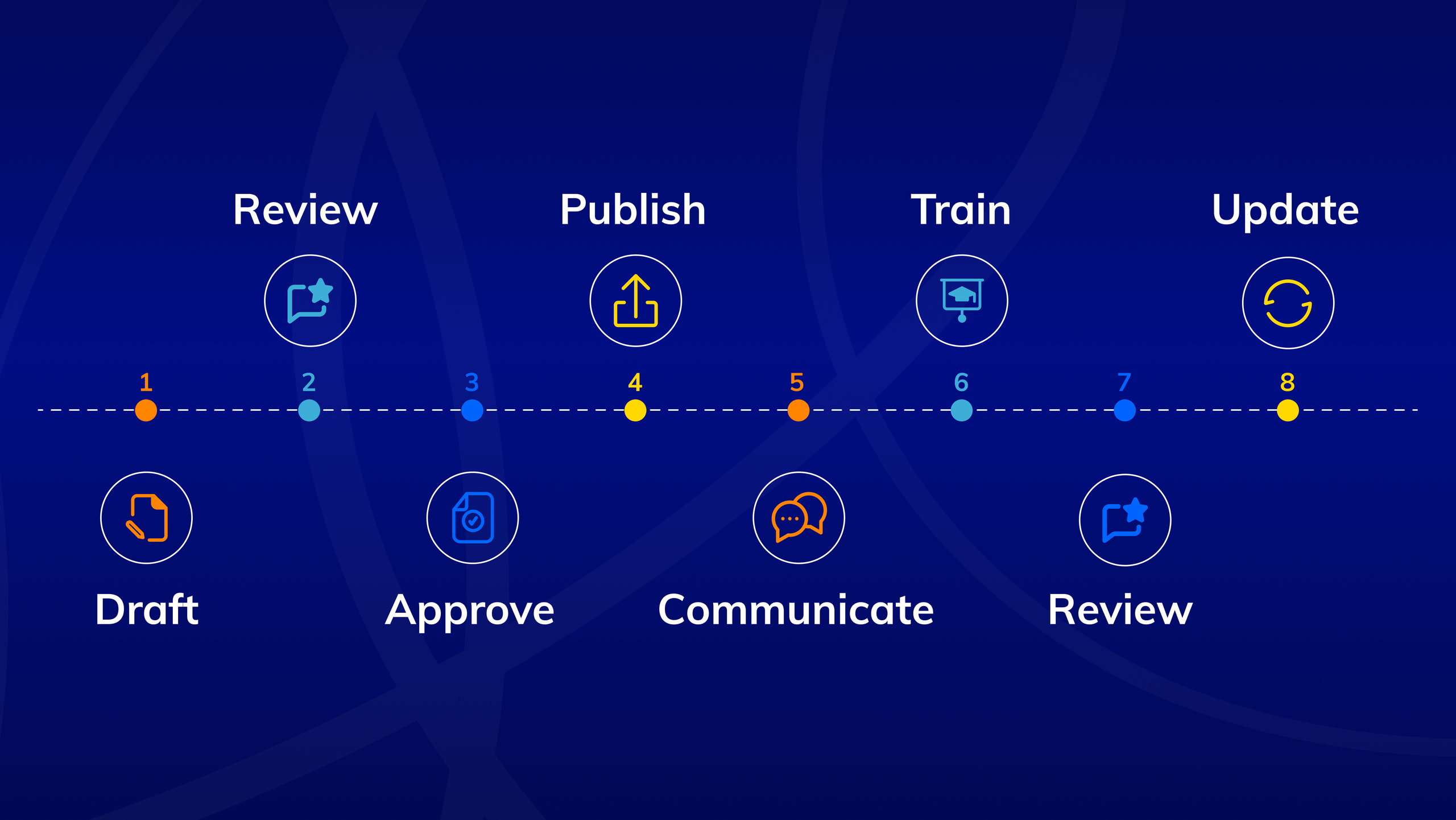
This gives HR teams a repeatable process for managing policies throughout their lifecycle rather than reacting only when something becomes outdated.
Add approvals to your Confluence policy workflow
Some policies require formal review before they become official.
A data protection policy, for example, may need input from HR, Legal, IT, or senior management.
Confluence provides the documentation foundation, while Marketplace apps can add structured approval workflows, approval status tracking, decision history, and audit trails.
The process could look like this:
HR drafts the policy → Legal reviews it → Management approves it → The approved version is published → Employees access the current policy
This creates a clearer record of how a policy moved from draft to approved documentation and reduces uncertainty around which version employees should follow.
Make HR policies easier to understand
Making a policy available does not automatically make it easy to understand.
HR documentation often includes abbreviations, legal terminology, technical language, and company-specific concepts that may not be clear to every employee.
With Smart Terms for Confluence, HR teams can build a shared glossary directly inside Confluence and make definitions available in context as employees read policies.
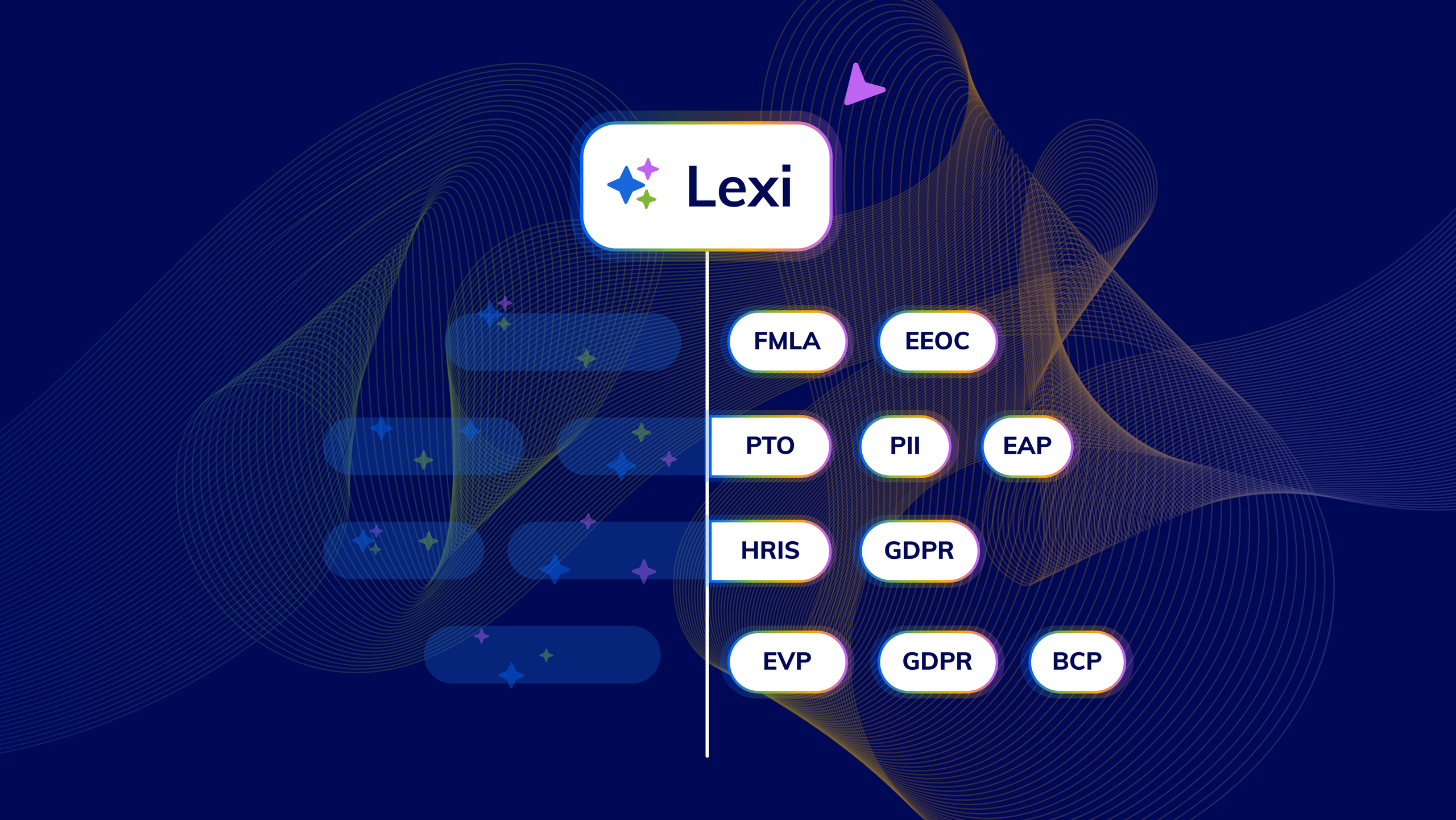
A glossary could include terms such as PTO, PII, EAP, probation period, confidential information, or internal role classifications. Teams can also add related vocabulary, including acronyms, synonyms, and plurals, to keep terminology consistent across policies.
For organizations working across regions, Smart Terms supports multilingual glossaries, allowing teams to maintain terms and definitions in multiple languages.
Teams can also use Lexi, the Glossary AI assistant in Smart Terms, to scan Confluence content or uploaded documents and identify terminology worth defining. Lexi can draft definitions based on the surrounding content and translate suggested terms into enabled glossary languages.
Instead of asking employees to search elsewhere for an unfamiliar term, HR teams can add explanations directly in the policy while keeping one shared source for key company terminology.
Connect HR policies with employee training
Some policies need more than publication. Employees may need to understand the content, complete required training, and demonstrate that they know what is expected.
This is especially important for onboarding, information security, workplace conduct, data protection, and compliance.
With Smart Courses for Confluence, HR teams can turn policy documentation into structured learning without moving employees to a separate LMS.
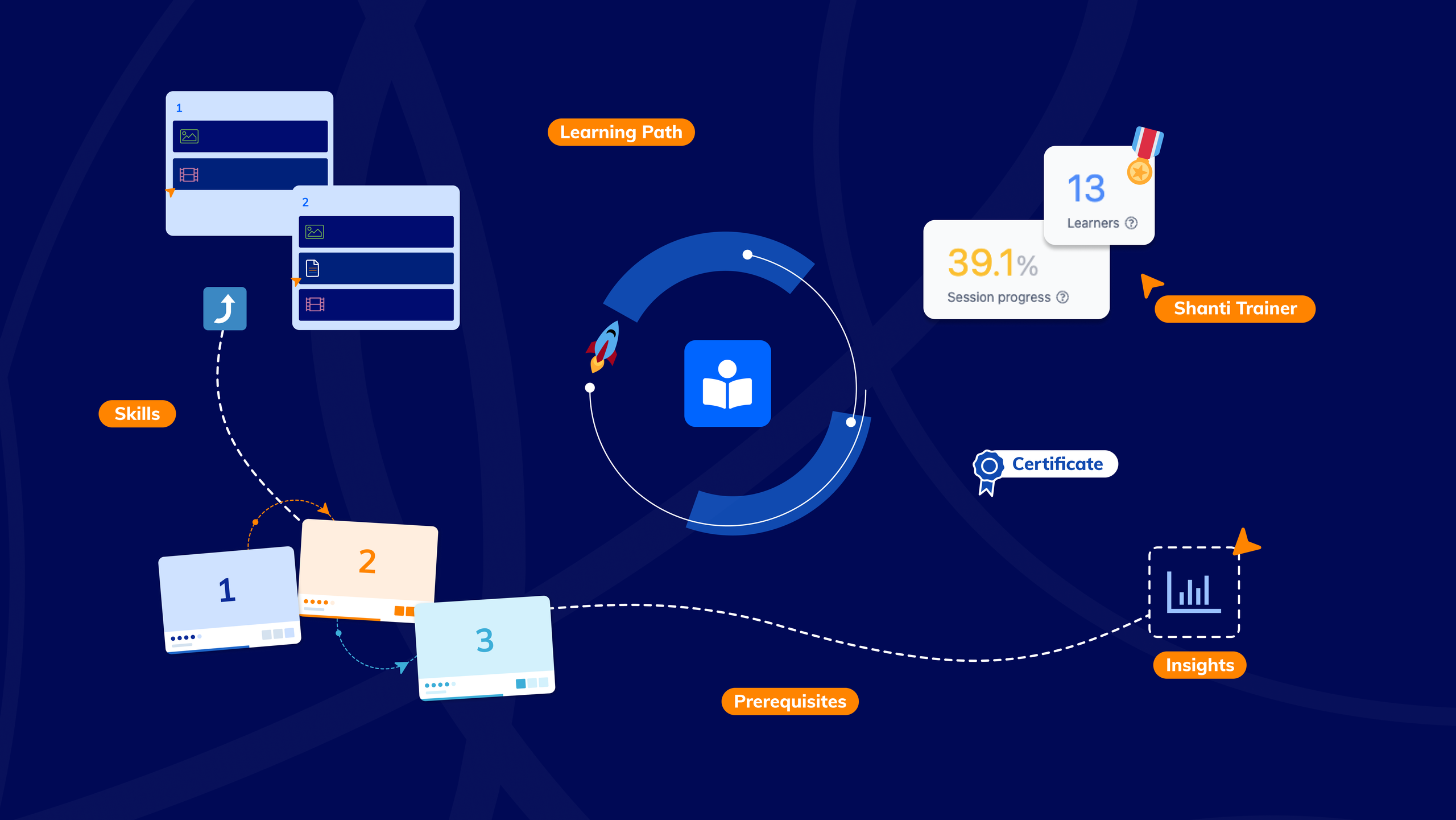
For example, a new-hire learning path could combine courses on the Code of Conduct, Information Security, Data Protection, Remote Work, and Workplace Safety. Learning Paths can group related courses and exams into a defined training journey, while prerequisites and skills can control what employees need to complete or demonstrate before progressing.
HR teams can add quizzes and exams to check understanding, assign training with due dates, and issue certificates when required learning is completed. Course insights also help HR teams track progress and completion, rather than assuming that opening a policy means it was understood.
For recurring compliance requirements, courses can be scheduled to repeat so employees revisit required training when necessary.
The process becomes:
Policy published → Training assigned → Learning completed → Knowledge checked → Completion or certification tracked
By connecting policies with structured learning, HR teams can move beyond simply publishing information and create a clearer way to support onboarding, compliance, and ongoing employee training directly in Confluence.
Turn policy updates into employee learning
The connection between policies and training becomes especially important when a policy changes.
If your company updates its data protection policy, publishing the new version may not be enough. The change may also require approval, employee communication, updated training, and a knowledge check.
Update policy → Review and approve → Publish → Notify employees → Update training → Check understanding
This connects policy updates directly to employee learning instead of assuming employees will notice and understand a changed page.
The compliance content stays specialized. The learning experience lives in Confluence.
Try Smart Courses for Confluence free for 30 days.
ConfluenceLearningOnboarding