How to onboard new hires faster without burning them out?

Picture a software company looking to onboard new hires across 5 countries, all starting in the same month. Managers are spread across time zones, shadowing sessions are hard to coordinate, and there’s no single place to see who’s actually ready to ship code versus who’s still finding their way around.
This is the reality for most growing teams, and it’s usually handled with a mix of onboarding docs, Slack messages, and a manager’s best guess about when someone is “ready.” That approach breaks down because knowledge and workload live in two systems that don’t talk to each other: a wiki page doesn’t know how loaded someone’s sprint is, and a sprint board has no idea whether they’ve finished security training yet.
Why do most onboarding programs fall short?
Three failure patterns show up again and again in growing teams:
- Readiness gets measured in time, not knowledge. Three weeks in is treated as a milestone regardless of whether someone has absorbed what they actually need to know.
- Training and delivery are treated as separate phases. Once someone touches their first ticket, onboarding is considered “done,” even if half the learning material is unfinished.
- Capacity is managed informally. “We’ll ease them in” rarely gets written down anywhere a manager or teammate can see it, so it doesn’t survive contact with a real sprint.
Fixing this doesn’t mean replacing Confluence or Jira; it means connecting the tools you already use so learning progress and workload planning inform each other in real time.
Structuring the Learning Path with Smart Courses for Confluence
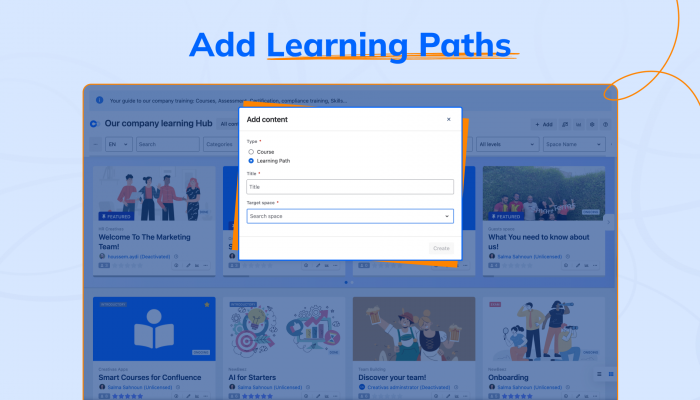
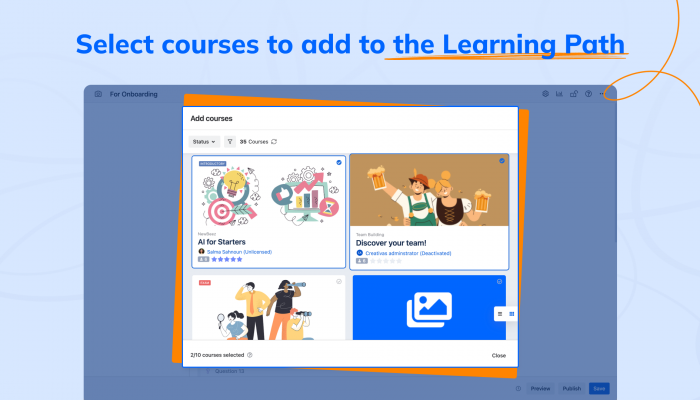
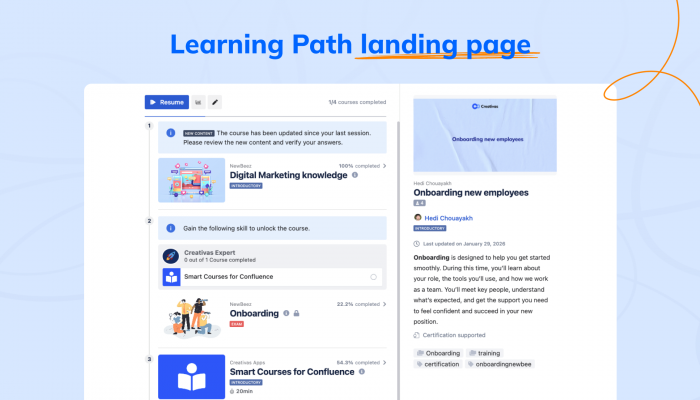
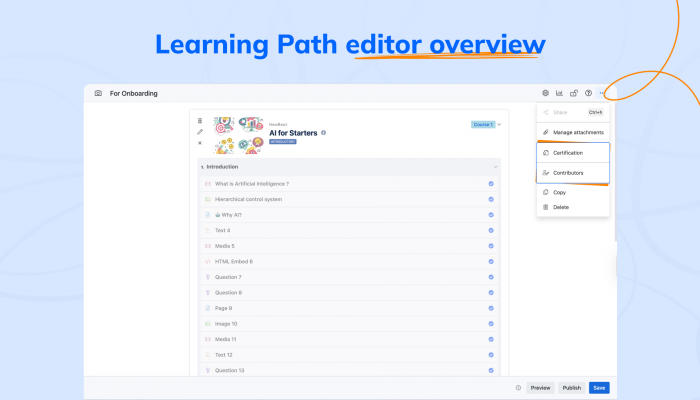
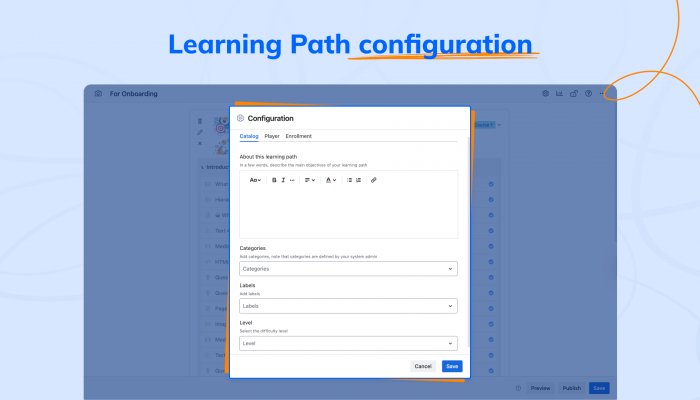
The first half of a scalable onboarding system is making sure every new hire follows a consistent Learning path, not a scattered mix of pages and informal handovers.
With Smart Courses for Confluence, HR and team leads build a dedicated onboarding Learning Path that sequences everything a new hire needs into the right order: company policy, security training, product knowledge, engineering standards, and role-specific material. Learning Paths let you group multiple courses into a complete program, so a developer, a customer success manager, and a project manager can each follow a tailored track while still sharing common company-wide training.
A few things make this especially effective for onboarding at scale:
Courses can combine Confluence pages, PDFs, images, videos, and even HTML or SCORM packages so whatever format your documentation already lives in, it can become part of the learning journey without being rebuilt from scratch. Since Confluence pages stay connected, any updates your team makes are automatically reflected inside the course, so nobody is ever learning from an outdated version.
Assign courses directly, with due dates. Managers can assign individual courses to specific users or groups, complete with due dates and automatic notifications. This makes it easy to deliver mandatory training exactly when it’s needed: security training before a first login, product knowledge before someone joins their first customer call, instead of hoping people find it on their own.
Skills and quizzes turn learning into evidence. Interactive quizzes at the end of each chapter or course confirm a new hire actually understood the material, not just clicked through it. Combined with prerequisites and skills, onboarding becomes competency-based rather than time-based. Teams may require specific knowledge or a completed quiz to unlock the next stage, so nobody advances on assumption alone.
Insights give managers a real-time view. Built-in insights dashboards show course completion, quiz results, and overall learner progress across every new hire at once. Instead of chasing status updates in a 1:1, a manager can see exactly where each person stands and catch gaps before those gaps affect day-to-day work.
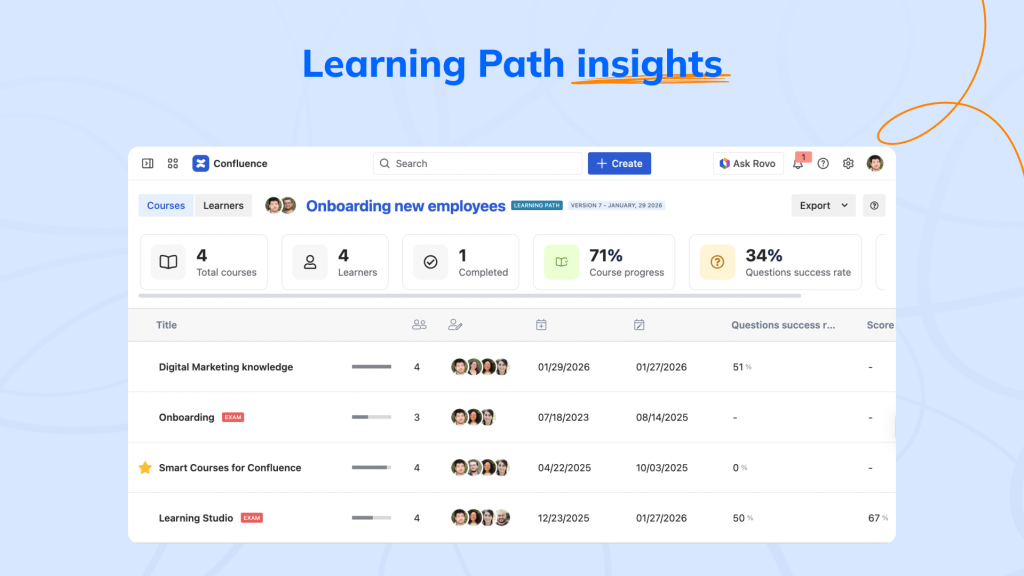
By turning existing Confluence knowledge into structured, trackable training, Smart Courses answers the first key onboarding question: what does this person actually know, and are they ready for the next step?
Managing real workload with ActivityTimeline for Jira
Knowing what someone has learned only solves half the problem. The other half is knowing how much real work they can actually take on right now, and that’s a question learning tools alone can’t answer.
This is where ActivityTimeline for Jira comes in. It’s a resource and capacity-planning app built directly on top of your existing Jira projects, giving everyone, including new hires, a personal timeline showing what’s assigned to them, along with a workload indicator that reflects how loaded they are relative to their real capacity.
A few features make it particularly useful for managing new team members:
See real workload distribution. The workload indicator, color-coded from light green to red, is calculated from both Jira estimates and custom events such as bookings or training blocks. For a new hire, this means a manager can see at a glance whether an “easy onboarding ticket” is actually filling their whole week or leaving them mostly idle, rather than finding out during a retro two sprints later.
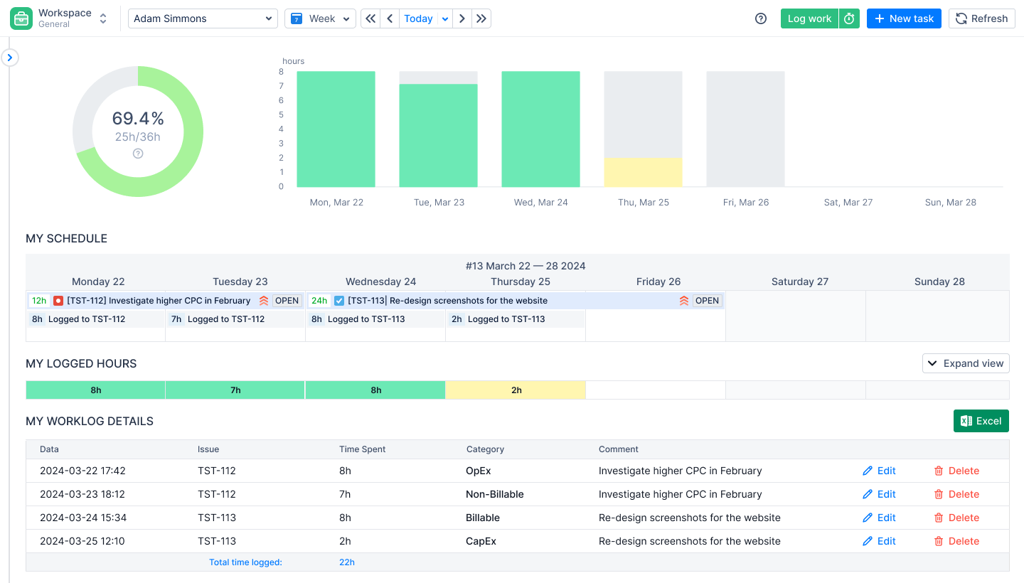
Control allocation for new hires. Rather than assigning tasks the same way you would for a tenured engineer, ActivityTimeline lets you set individual involvement (capacity) per person, for example, configuring a new hire at 4–5 hours/day of plannable work for their first two weeks. Booking events lets you reserve time for shadowing, pairing, or training sessions without needing a Jira ticket for each one, so that time shows up on the timeline and counts against capacity instead of disappearing into an invisible gap.
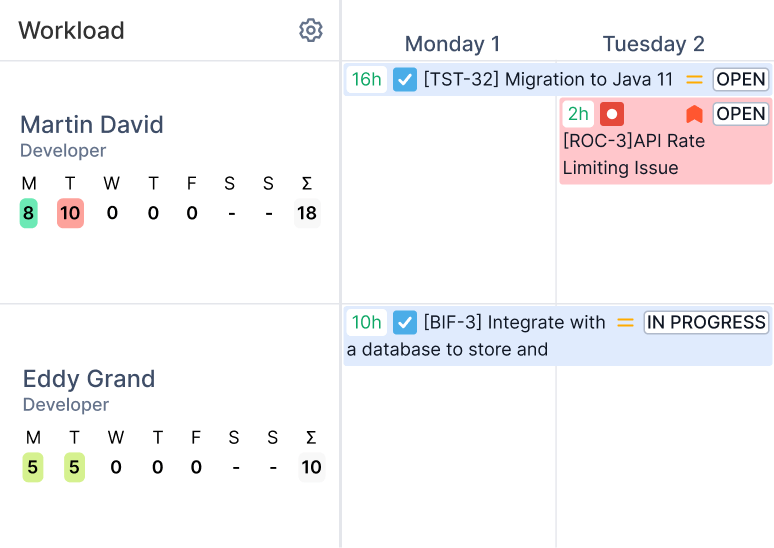
Avoid overloading during ramp-up. Because the workload indicator accounts for vacations, partial days, and custom involvement schedules, it’s much harder to accidentally schedule a new hire for more than they can handle. If a manager tries to stack tickets onto someone whose involvement is intentionally set to a lower level, the indicator visibly tips into yellow or red before the team finds out the hard way.
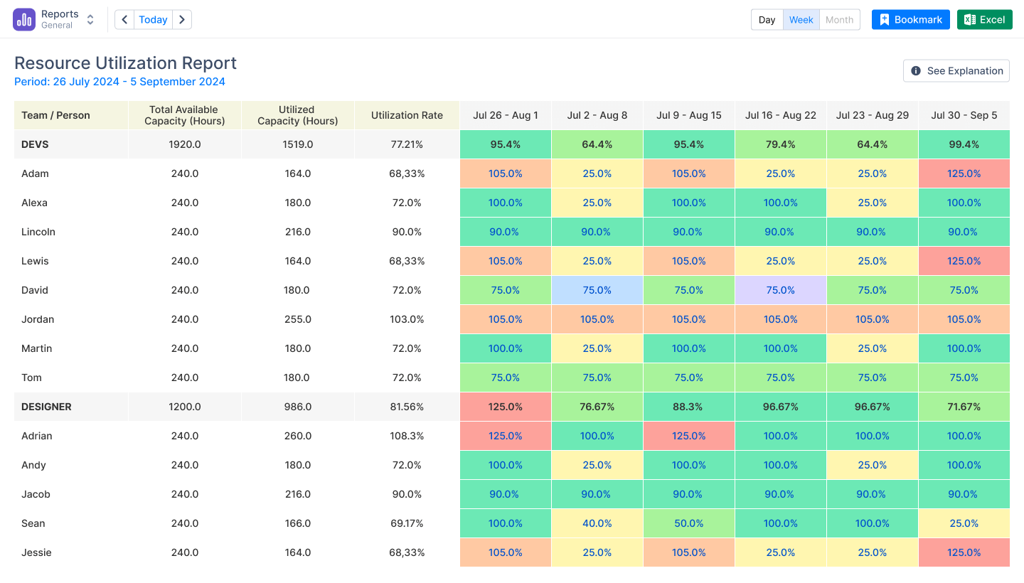
The result is planning grounded in actual capacity rather than assumptions. A manager isn’t asking “do I think this person is ready”; they’re looking at a timeline that already reflects training time, partial involvement, and current workload, and making a scheduling decision from there.
Bringing both systems together
Handing someone their first real piece of work comes down to two questions: has the relevant part of their learning path actually been completed, and does the timeline show they have the capacity for it right now? Smart Courses answers the first. ActivityTimeline answers the second. Put together, a manager isn’t guessing anymore; they’re looking at evidence of both readiness and availability before making the call.
Customer Success Manager onboarding
The same model works just as well outside engineering teams. Imagine a company hiring five new Customer Success Managers ahead of a major product launch.
Each new hire is enrolled in a Smart Courses LMS Learning Path that covers product knowledge, support workflows, communication guidelines, and internal tools, with quizzes to verify their understanding before they start working directly with customers. Managers track progress through the insights dashboard, just as an engineering manager would.
At the same time, ActivityTimeline helps team leads reserve time for product shadowing, customer call observations, and coaching sessions by reducing each new hire’s available capacity during their first weeks. As training milestones are completed, managers gradually increase their workload so new Customer Success Managers gain confidence without becoming overwhelmed.
Whether you’re onboarding developers or customer-facing teams, combining structured learning with capacity planning creates a repeatable onboarding process that scales as your organization grows.
Try Smart Courses for Confluence free for 30 days.
Try ActivityTimeline for Jira free for 30 days.
ConfluenceLearningOnboarding