Confluence Apps for AGC and Isolated Cloud

Working in a controlled cloud environment changes how you choose Confluence apps. Alongside features, you need to check whether an app supports your deployment and how its functionality fits your team’s requirements.
Smart Tables and Smart Images for Confluence are now available for both Atlassian Government Cloud (AGC) and Atlassian Isolated Cloud (IC). They help teams work with structured information and visual documentation within Confluence.
This guide explains the differences between these environments, what to check when evaluating apps, and where Smart Tables and Smart Images can fit into your workflows.
What is Atlassian Government Cloud?
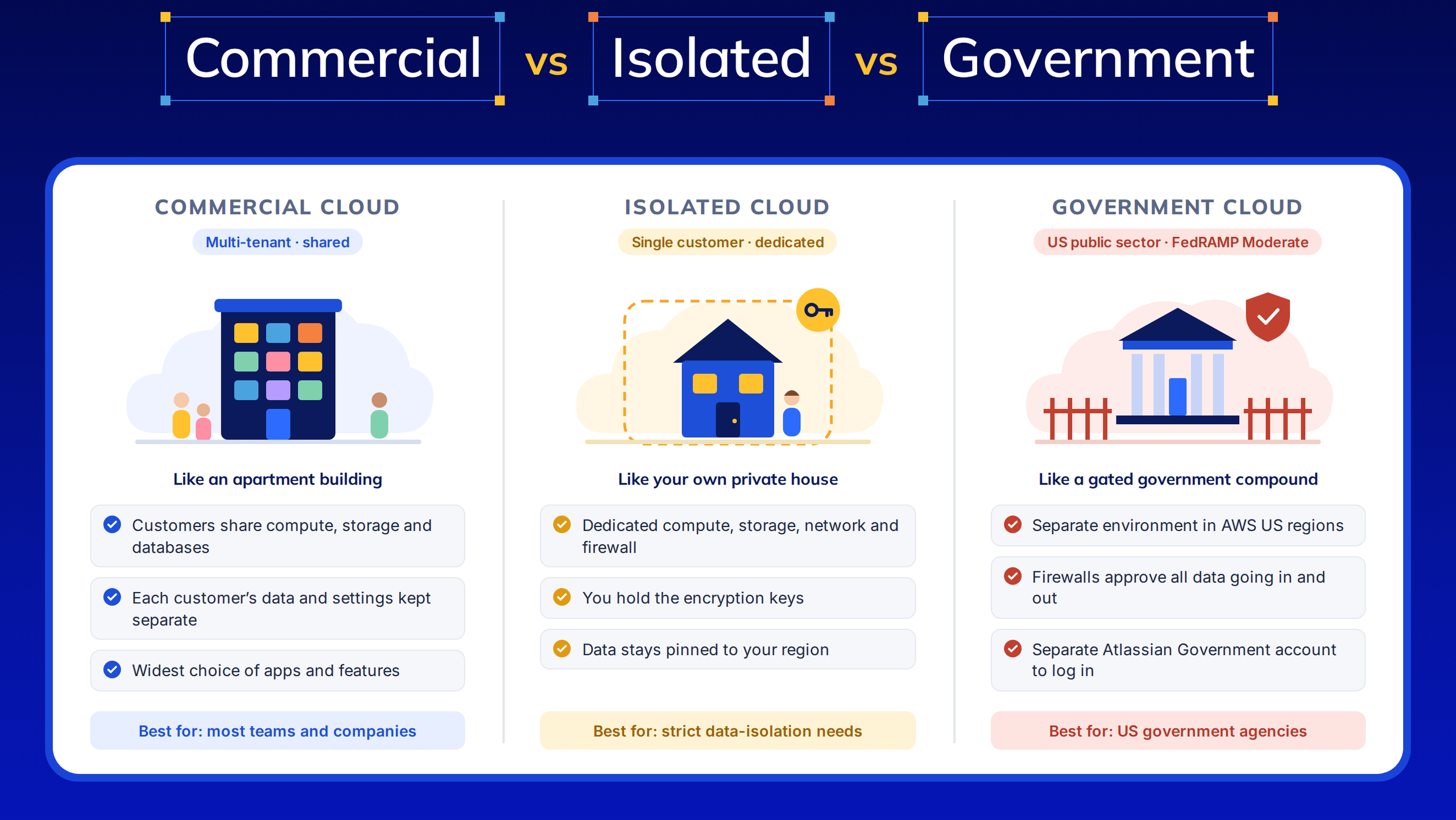
Atlassian Government Cloud is a separate cloud environment for eligible U.S. government agencies and organizations working with the U.S. government on government-related work. Atlassian describes AGC as FedRAMP Moderate authorized.
For Confluence users, it provides an environment for organizing documentation, sharing knowledge, and supporting collaboration around government work. App selection also needs to account for AGC availability and feature support.
Read Atlassian’s Government Cloud overview for eligibility and platform information.
What is Atlassian Isolated Cloud?
Atlassian Isolated Cloud provides a dedicated cloud environment managed by Atlassian for organizations with strict security, compliance, or data isolation requirements.
It includes dedicated compute, storage, and networking. Atlassian also documents data egress blocked by default and customer-managed encryption keys.
For teams evaluating Confluence extensions, this makes deployment compatibility an essential part of the selection process.
Read Atlassian’s Isolated Cloud guide for details.
How do AGC and Isolated Cloud differ?
Both support organizations with demanding requirements, but they address different deployment needs.
| Consideration | Atlassian Government Cloud | Atlassian Isolated Cloud |
|---|---|---|
| Intended customers | Eligible U.S. government agencies and organizations doing government-related work | Enterprises with strict security, compliance, or data isolation requirements |
| Infrastructure | Separate perimeter from commercial Atlassian Cloud | Dedicated compute, storage, and networking per customer |
| App compatibility | Apps must explicitly support AGC | Apps must be listed for Isolated Cloud |
| Evaluation focus | Government deployment requirements and supported app functionality | Dedicated infrastructure requirements and supported app functionality |
Atlassian’s cloud environment comparison explains the deployment and app compatibility distinctions.
Can you use Confluence marketplace apps in these environments?
Yes, when the app supports the relevant environment. Availability on commercial Confluence Cloud does not establish availability on AGC or Isolated Cloud.
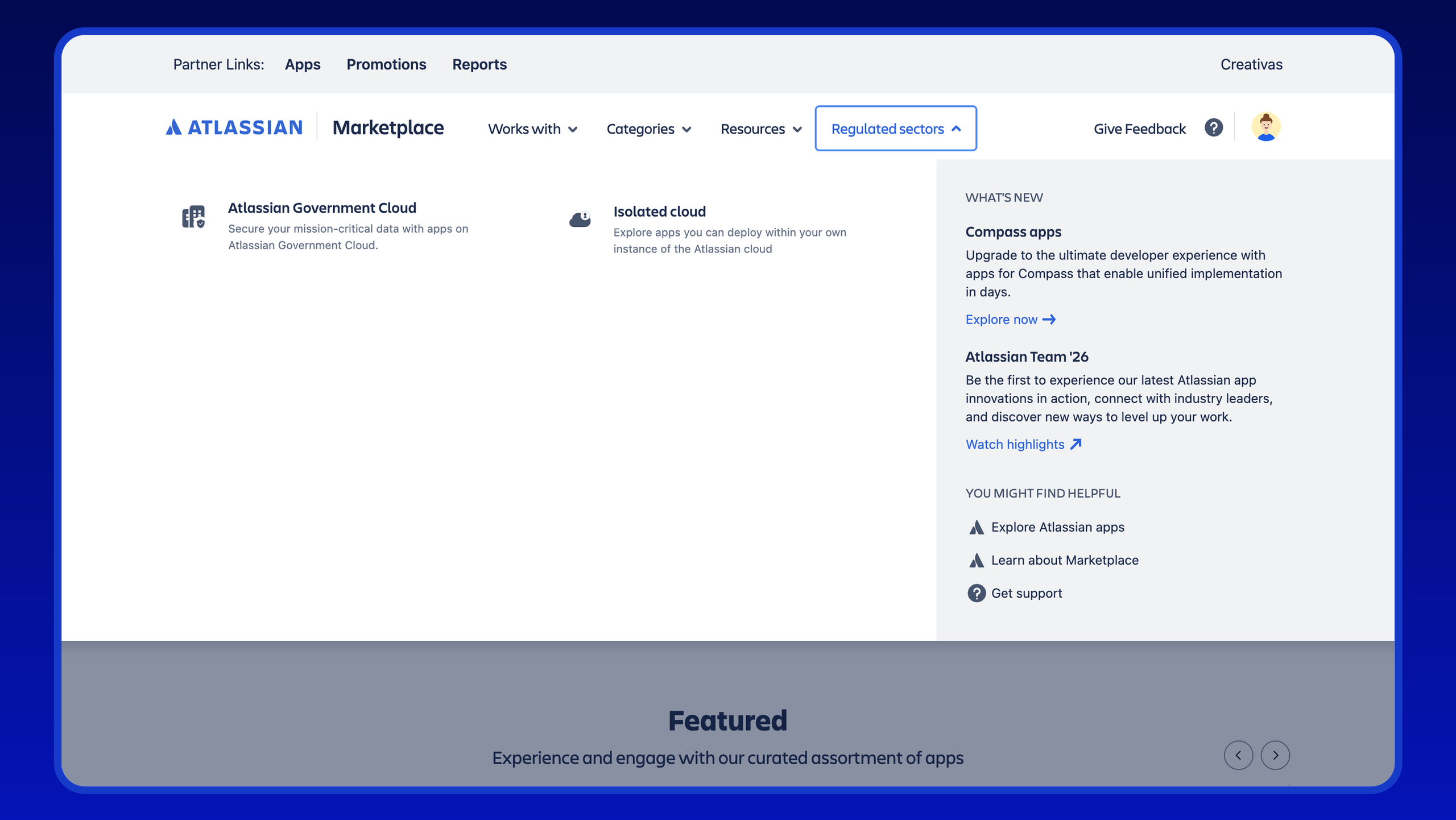
Before selecting an app, check its deployment support, permissions, data handling, and environment-specific feature documentation. Build your shortlist around the workflow you need: filtering a program tracker, calculating table values, or annotating screenshots for a procedure.
Smart Tables: Work with Confluence tables and reports
Smart Tables is a relevant option for teams looking for table filtering, calculations, and reporting in Confluence. Its capabilities include advanced filters, Excel-like functions, pivot tables, and charts.
Consider a program manager maintaining a table of work-streams, owners, statuses, and budgets. A useful workflow could involve filtering the table to a particular team, calculating totals, and summarizing the data for a review meeting.
Other examples include:
- A project lead reviewing outstanding actions by owner or status.
- A finance team calculating totals in a budget tracking table.
- An operations team summarizing a register for its monthly review.
These are illustrative workflows, rather than reported customer results. Match each workflow to the features supported in your deployment.
Check the AGC feature differences
Creativas’ current Smart Tables AGC documentation lists exceptions to commercial Cloud functionality: live editing in the Smart Tables macro, collaborative editing in the Live Spreadsheet macro, Smart Links, attached-file previews, and chart export.
That distinction helps teams evaluate their actual requirements. If simultaneous spreadsheet editing is central to your workflow, include it explicitly in your deployment review.
Explore Smart Tables for Confluence and review its environment-specific documentation before choosing your configuration.
Smart Images: Make visual documentation easier to follow
Smart Images is a relevant option for teams that need image editing and annotations, image maps, sliders, and galleries in Confluence.
For example, a technical writer preparing a procedure can use arrows, shapes, and text to highlight the relevant parts of a screenshot. A process owner can use an image map to connect areas of a visual overview to the corresponding Confluence pages.
Potential uses include:
- Annotated screenshots for internal instructions.
- Visual guides explaining a multistep procedure.
- Clickable diagrams that help readers navigate related documentation.
- Galleries presenting a sequence of reference images.
The goal is practical: help readers understand what they need to do and where they need to go next. Confirm the supported configuration for AGC or Isolated Cloud when planning your rollout.
Explore Smart Images for Confluence to discuss your visual documentation requirements.
How to choose the right app for your team
Start with a representative Confluence page and a specific task. For Smart Tables, this could be a project tracker that needs filtering and calculations. For Smart Images, it could be a procedure that needs annotated screenshots.
Then assess:
- Deployment support: Is the app available for your exact environment?
- Workflow fit: Are the features you need supported there?
- Data handling and permissions: Does the documented configuration meet your organization’s review requirements?
- Installation: What is the installation process for your environment?
Atlassian documents different installation routes: support-assisted installation for AGC and the in-product Marketplace for production Isolated Cloud sites. Confirm the current steps with your administrator.
Frequently Asked Questions
Which Creativas apps are available for AGC and Isolated Cloud?
Smart Tables and Smart Images for Confluence are available for both environments. Smart Tables supports table workflows, while Smart Images supports visual documentation.
Does a Forge app automatically support both environments?
No. App availability must be established for each environment. Check the relevant listing and documentation rather than relying on commercial Cloud availability.
Are all commercial Cloud features available?
Check the app’s environment-specific documentation. Smart Tables’ AGC documentation, for example, identifies functionality differences that teams should consider before adoption.
Find the right fit for your Confluence environment
Need table filtering and calculations, or clearer visual instructions in Confluence? Smart Tables and Smart Images are available for AGC and Isolated Cloud.