How to stop losing knowledge in Confluence?

After a year, most Confluence spaces look the same: outdated pages, copied spreadsheets, inconsistent terminology. The issue isn’t a lack of effort. It’s that Confluence was built for writing and organizing, not for managing living data or enforcing shared language.
That’s the gap Smart Tables and Smart Terms close.
Smart Tables gives structured data a functional home inside Confluence.
Smart Terms ensures terminology is defined and consistent across pages.
Used together, they turn Confluence from an archive into a working knowledge system.
What Confluence does well and where it stops
Confluence excels at documentation. It’s a collaborative wiki where teams capture decisions, brainstorm ideas, and store information. Spaces and pages make it easy to organize work, and integrations with tools like Jira keep everything loosely connected.
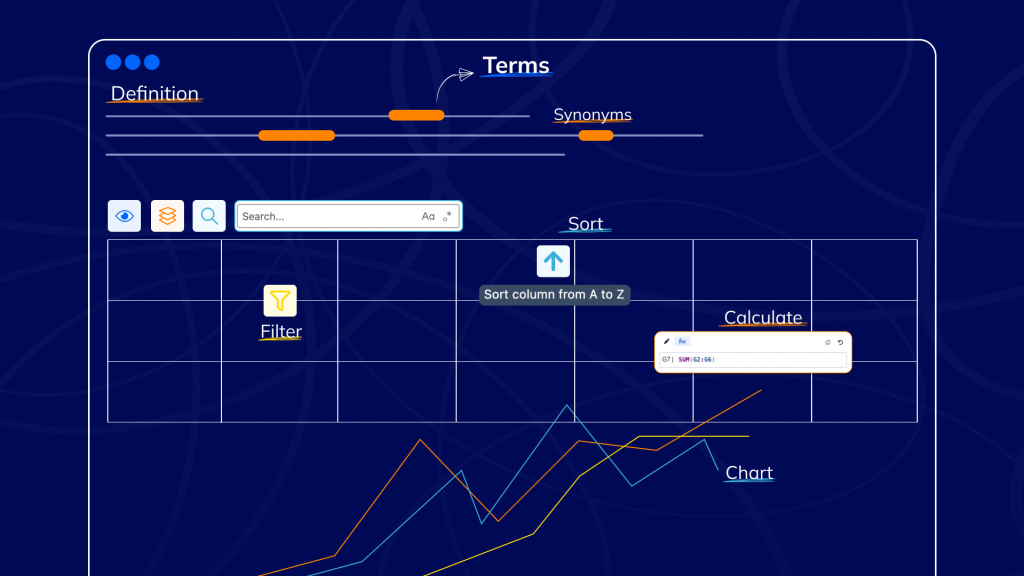
But when your documentation becomes operational, Confluence shows its limits. Tables in Confluence are fine for static content, but you can’t filter, sort, or calculate within them. If you need to slice data by priority or generate a quick chart, the answer is usually “no.” Teams end up exporting to spreadsheets, and those spreadsheets become the new source of truth while Confluence pages go stale.
Teams often try to address this with glossary pages, tooltips, or expand macros. These solutions can work temporarily, but they rely on manual linking and individual page authors remembering to apply them. Over time, definitions drift, duplicates appear, and terminology becomes inconsistent across spaces.
Smart Terms solves this by introducing a centralized terminology layer for Confluence. Instead of defining terms manually on individual pages, teams maintain a single glossary in which each term includes an official definition, synonyms, and related documentation. Smart Terms then automatically detects these terms across pages and highlights them with consistent tooltips. Because the definitions are managed in one place, updating a term once updates it everywhere, ensuring that teams across the organization use the same language and understand the same meaning.
This is the ceiling: Confluence captures knowledge well. It doesn’t operationalize it at scale. Smart Tables extends Confluence’s data capabilities. Smart Terms extends language governance.
Use case: Transforming onboarding with Smart Tables and Smart Terms
Consider how a growing technology company uses Confluence to onboard new employees. Before adopting Smart Tables and Smart Terms, the onboarding process looked like this:
- A long page titled “New Hire Tasks” listed steps like “Set up your laptop,” “Complete security training,” and “Read the architecture runbook.” Managers copied this list from a spreadsheet, so some formatting broke, and deadlines and assignees disappeared.
- Acronyms such as “HLD,” “QA,” and “SOC2” peppered the document with no explanation. New hires had to ask someone or search the wiki, hoping to find a page that defined them.
- Managers couldn’t see who had completed which tasks without reaching out individually, and any updates had to be made in multiple places to keep the spreadsheet and the Confluence page aligned.
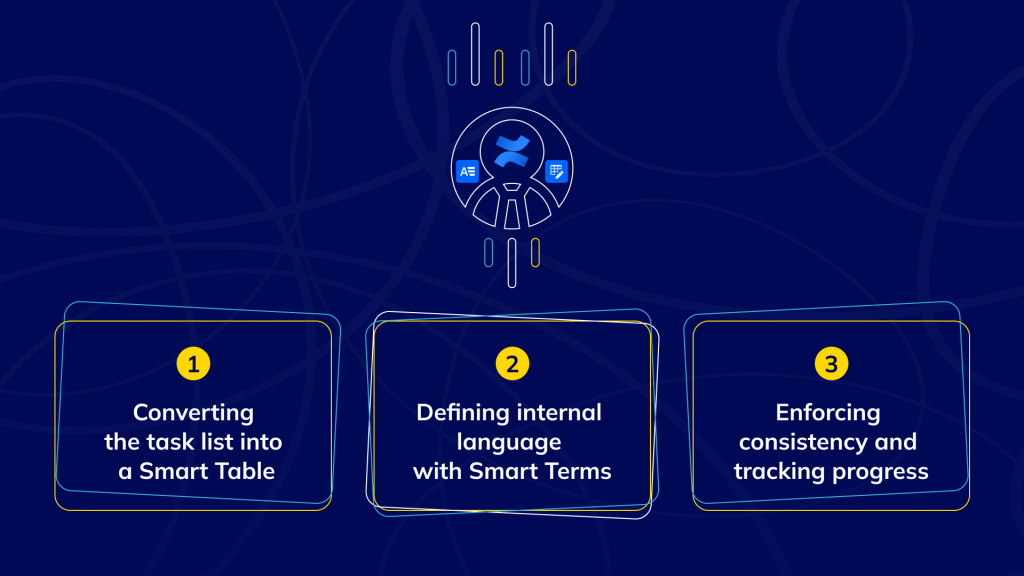
Step 1: Converting the task list into a Smart Table
The team decided to turn their New Hire Tasks page into a Smart Table. Instead of a static list, they created a structured table with columns for the task description, the responsible person, due dates, status, and priority. Each column used the appropriate field type dates for deadlines, a user field for assignees, and a status field for tracking progress. Because the data was now structured, managers could filter tasks to see which ones were overdue or assigned to specific departments. They could also sort tasks by priority and generate quick reports without leaving Confluence.
Step 2: Defining internal language with Smart Terms
While setting up the Smart Table, they noticed that many tasks referenced specialized terms like “SOC2 training,” “HLD review,” and “MFA enrollment.” To avoid confusion, they compiled these terms into a Smart Terms glossary. Each term included a clear definition, a link to the relevant policy or documentation, and, where appropriate, synonyms or acronyms so that different variations of the same concept could still be recognized and explained consistently. For example, “HLD” was defined as “High-Level Design document used to describe system architecture and components.” The glossary also provided translations for teams working in multiple languages.
Once the terms were defined, Smart Terms automatically highlighted them in the Confluence page. New hires could hover over “HLD” or “MFA” to see the full definition without navigating away from the task list. Because the glossary was centralized, updating a definition once ensured consistency across all pages and spaces.
Step 3: Enforcing consistency and tracking progress
With Smart Tables handling the structure and Smart Terms handling the language, the onboarding page became a living document. Managers could watch task progress in real time, filtering by status or assignee. New hires understood every term they encountered, and if a new acronym cropped up, it was easy to add it to the glossary and have it highlighted everywhere.
By keeping the task list in Confluence rather than exporting it to spreadsheets, the team reduced duplication and version-control issues. Smart Tables’ built‑in formulas automatically calculated completion percentages, and a pivot view summarized onboarding progress across departments. Meanwhile, Smart Terms maintained the company’s internal language. Even as processes changed, the glossary could be updated once and reflected throughout Confluence.
The result
Combining Smart Tables and Smart Terms turned a confusing onboarding checklist into a structured, self‑explanatory experience. New hires completed tasks faster because they knew what each step required. Managers saved time by filtering and reporting directly in Confluence. And everyone began using the same language, reducing miscommunication and reinforcing company standards.
Bringing it all together

The problem of outdated pages, copied spreadsheets, and inconsistent terminology is not unique to onboarding. Any process that involves structured data and specialized language, from compliance tracking to product roadmaps, suffers when Confluence is used as a static archive. Smart Tables solves the data side, giving you a place to filter, sort, and calculate without leaving the page. Smart Terms solves the language side, ensuring that everyone reads and uses the same definitions across the wiki.
By adopting both, your Confluence space evolves from a collection of documents into a working knowledge system. Data stays fresh, language stays clear, and your team stops losing knowledge to siloed files and context‑less jargon.
ConfluenceLearningOnboarding